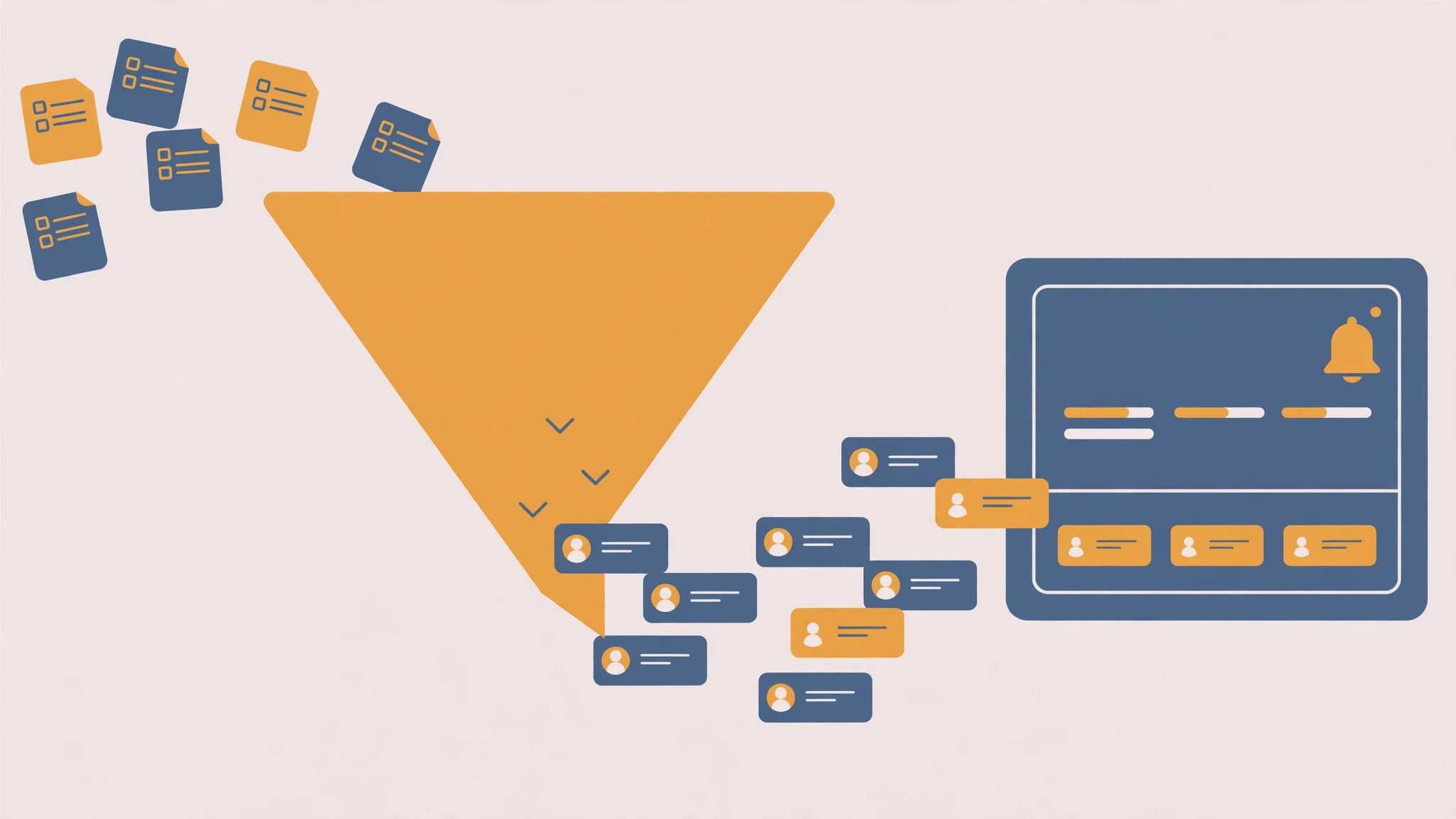
Quick answer: Automating lead capture means connecting your lead source, your CRM, and your follow-up tools so a new lead flows through without manual copying. A form submission should instantly create or update a CRM contact, notify your team, and start a follow-up email sequence. Done right, no lead is lost, and response times drop from hours to minutes.
Why Leads Leak in a Manual Process
A lead arrives while you are in a meeting. Someone means to copy it into the CRM later. Later becomes tomorrow. Tomorrow becomes never. Studies of sales teams consistently find the same pattern: the longer the gap between a lead arriving and the first response, the lower the chance of ever reaching that person. Manual lead handling leaks in three places: transcription errors when copying details, delays while work waits in someone’s inbox, and leads nobody owns because no notification went out.
Automation closes all three leaks at once, because the handoff happens instantly, exactly, and to a named owner.
The Lead Capture Pipeline
A complete automated pipeline has five stages. You do not need all five on day one, but each stage removes one manual job.
Stage 1: Capture
The lead enters through a form, a landing page, an ad, a chatbot, or a marketplace. Your job at this stage is to make sure every entry point feeds the same pipeline. A form that emails one person and a landing page that writes to a different sheet is two pipelines, and leads will fall between them.
Stage 2: Enrich and Validate
Before the lead reaches a human, automation can check the basics: is the email address well-formed, is the company name present, does the phone number look complete? Simple validation rules catch junk entries early. Enrichment — pulling in company size or industry from a data source — is optional at first and valuable later.
Stage 3: Route to the Right Owner
Routing rules assign each lead to a person or team: by region, by product interest, by company size, or round-robin across the sales team. The owner gets a notification immediately, in the channel they actually check — Slack, email, or a CRM task — not a channel they ignore.
Stage 4: Follow Up Automatically
The first follow-up should not wait for a human to remember. An automated email goes out within minutes: a thank-you, what happens next, and a booking link for a call. This is not a replacement for a personal reply; it is a bridge that keeps the lead warm until the personal reply lands.
Stage 5: Track and Improve
Every lead’s journey is logged in the CRM: source, time to first response, and outcome. That log is what lets you improve. If leads from one source never convert, you fix the source. If response times creep up, you fix the routing.
A Worked Example: Form to CRM to Email
Imagine a consulting business using a website form, HubSpot as CRM, and email for follow-up. The automated flow looks like this:
- A visitor submits the contact form.
- The automation creates a new HubSpot contact with the form’s name, email, company, and message.
- If a contact with that email already exists, the automation updates it instead of creating a duplicate.
- The automation posts a Slack message to the sales channel with the lead’s details and a link to the CRM record.
- The automation sends a personal-feeling thank-you email with a booking link.
- If nobody has contacted the lead within one business day, the automation creates a reminder task for the owner.
Six steps, zero copying, and the lead is answered in minutes.
Building It in Any Tool
The pipeline works the same in Zapier, Make, or n8n; only the interface changes. In Zapier, this is one multi-step Zap with filters and paths. In Make, it is a scenario with a router for the new-versus-existing contact branch. In n8n, it is a workflow with an if-node for the duplicate check. Pick the tool your team already knows — see our Zapier vs Make vs n8n comparison if you are undecided.
Mistakes That Break Lead Automation
Duplicate contacts. Always check for an existing contact before creating one. Duplicates split conversations and make reporting useless.
Silent failures. If a step fails and nobody is told, leads vanish silently. Set up failure alerts from day one, routed to a channel someone monitors.
Over-automation. Not every lead needs ten emails. One prompt thank-you and one human follow-up beats a week of robotic sequences. Automation should speed up the human touch, not replace it.
No owner. A notification sent to “the team” is a notification owned by nobody. Every lead needs one named owner, even if the team shares the work.
Measuring Whether It Works
Track three numbers weekly: leads captured (should equal leads received, with no gap), median time to first response (aim for under an hour during business hours), and percentage of leads contacted within one business day (aim for 100%). If the first number drops, a capture step is broken. If the second rises, routing or notifications need attention.
How fast should the first follow-up go out?
Within minutes for the automated thank-you, and within one business hour for a personal reply during working hours. Speed matters most in the first hour; after that, returns diminish, but a same-day personal reply still beats a next-day one.
What if the same person submits the form twice?
Your automation should search the CRM for the existing email first and update the record instead of creating a duplicate. Most CRMs and automation tools support this “find or create” pattern directly.
Do I need a paid CRM to automate lead capture?
No. The pipeline works with free CRMs and even with a spreadsheet as the destination, as long as one system is the single source of truth. A spreadsheet works for low volumes; a CRM becomes worth it when lead volume or team size grows.
What happens when the automation breaks?
Build in two safety nets: failure notifications to a monitored channel, and a weekly check that the number of leads in the CRM matches the number of form submissions. Either net catches a break before it costs you real leads.
Is automated follow-up too impersonal?
Only if it pretends to be human while sending generic content. A short, honest automated message — “Thanks for reaching out, here’s what happens next, and here’s a booking link” — is welcomed. The personal conversation still happens; automation just makes sure it happens fast.
Pingback: 10 Repetitive Tasks You Should Automate This Week (With Exactly How) - FlowWise
Pingback: Build a Personal Productivity System That Runs Itself - FlowWise